A home theatre projector can turn an ordinary living room into a proper big-screen experience, but only if it is matched correctly to the room. Many Nashik households buy a projector on brightness numbers or screen size alone, then find the picture washes out in the evening or the throw distance does not suit the room they actually have. This guide walks through the practical decisions — brightness, throw ratio, resolution, screen choice and budget — so your home theatre projector setup actually performs the way you expect once it is on the wall.
Whether you are setting up a dedicated home cinema room, a multipurpose family lounge, or a compact apartment living room, the fundamentals below apply. We have kept the advice generic and specification-led rather than tied to one exact model, since projector lineups change every year and the right pick depends on your room.
How much brightness (lumens) does your home theatre projector needs
Brightness, measured in ANSI lumens, is the single biggest factor in how good your picture looks — more important than resolution in most living rooms. A projector that looks stunning in a shop's blacked-out demo room can look flat and washed out in a Nashik living room with windows and tube lights.
| Room type | Typical ambient light | Recommended brightness |
|---|---|---|
| Dedicated home cinema room (blackout curtains, no windows) | Very low | 1,500–2,200 ANSI lumens |
| Living room, evening viewing with lights dimmed | Low to moderate | 2,200–3,000 ANSI lumens |
| Living room used through the day, some daylight | Moderate to high | 3,000–4,000+ ANSI lumens |
| Multipurpose hall or large family room | High | 4,000+ ANSI lumens, laser preferred |
As a rule of thumb, if you cannot fully control the ambient light in the room, buy more lumens than you think you need — a dim picture is far more noticeable and tiring than slightly excess brightness ever is.
Throw ratio and screen distance
Throw ratio tells you how far the projector needs to sit from the screen to fill it at a given size. A standard-throw home projector typically needs to sit roughly 1.2 to 1.5 times the screen's width away from the wall, while short-throw models can fill the same screen from barely a metre or two. Before you buy, measure your actual room: the distance from your likely mounting point (ceiling or shelf) to the screen wall, and check that distance against the throw ratio specification, not just the "recommended screen size" marketing line. Getting this wrong is the single most common reason a home theatre projector installation has to be redone.
4K vs 1080p for home viewing
For a genuinely large screen (100 inches and above) viewed at typical living-room seating distances, 4K resolution delivers a visibly sharper, more detailed image, especially with 4K streaming content now common on most platforts. For screens under 100 inches, or where the primary use is casual family viewing and not critical movie-watching, a good 1080p projector remains a sound, more affordable option. HDR support (HDR10, HLG) matters more than raw pixel count for how "punchy" the picture looks with modern content — pair a good HDR-capable projector with an ambient-light-rejection screen for the best evening results.
Screen size vs room size
Bigger is not always better. Screen size should be chosen against seating distance: as a working guide, viewing distance of roughly 1 to 1.5 times the screen's diagonal is comfortable for most people watching 4K content, and 1.5 to 2.5 times for 1080p content. A 120-inch screen crammed into a small Nashik apartment living room where the sofa sits four feet away will strain the eyes rather than impress. Measure the room first, then work backward to the screen size and, from there, to the projector's brightness and throw ratio.
Ambient light rejection screens
An ambient light rejection (ALR) screen is a specially coated projection surface that reflects light from the projector back to the viewer while rejecting light coming from other angles, such as windows or ceiling lights. For any home theatre setup that is not a fully blacked-out dedicated room, an ALR screen often improves contrast and colour more than upgrading the projector itself would. It is a cost-effective way to get a genuinely cinema-like picture in a normal living room.
BenQ's home cinema projector ranges
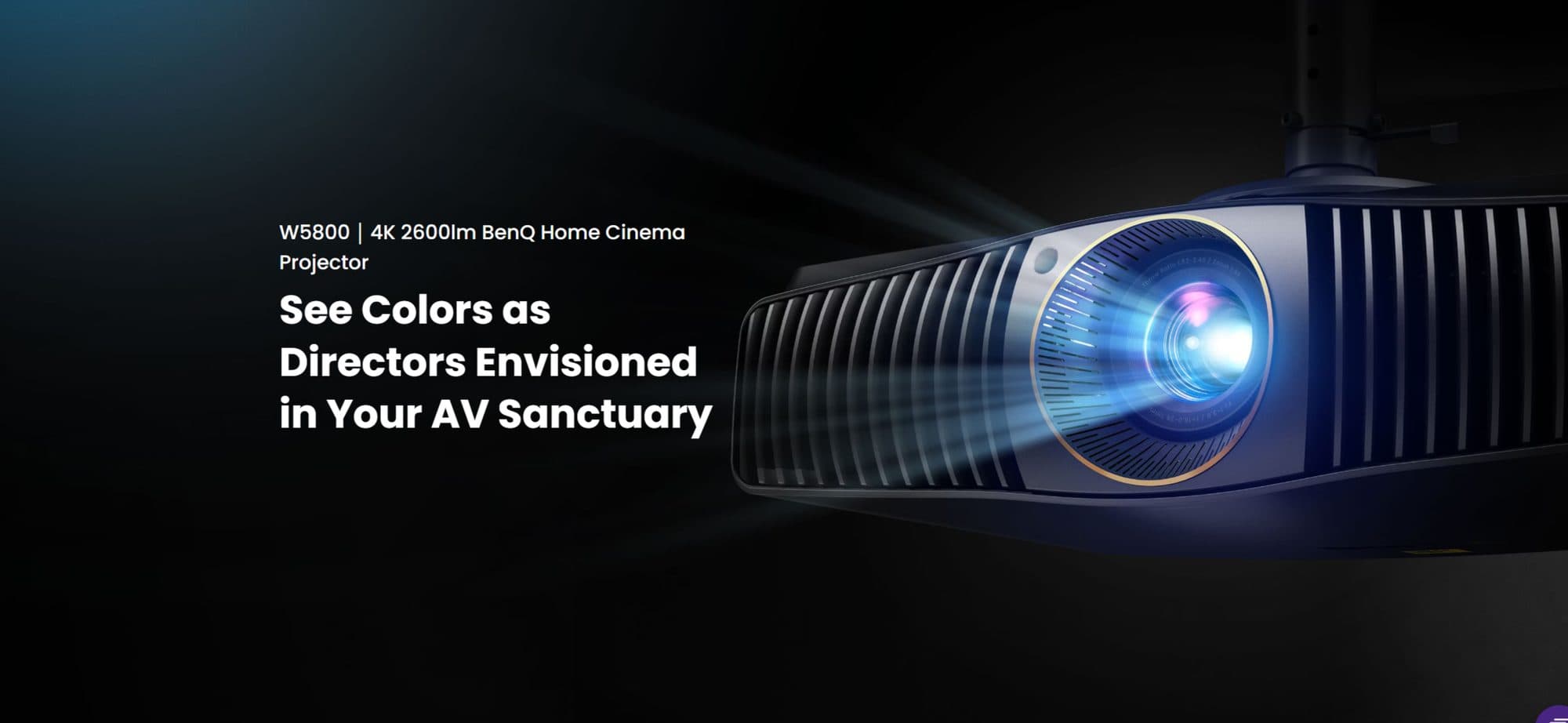
As an authorised BenQ partner, Logic Systems generally recommends BenQ's two broad home-use projector families depending on the use case. BenQ's dedicated home cinema series is built around true 4K resolution, laser or LED light engines and colour accuracy tuned for movie watching in controlled-light rooms. BenQ's 4K home entertainment series, by contrast, is aimed at flexible living-room use — it typically adds features like built-in Android TV streaming, lower input lag for console gaming, and shorter throw options that suit compact rooms. Since exact models and specifications are refreshed periodically, we recommend a short consultation to match the current lineup to your room rather than fixing on a specific model number in advance.
Budgeting for screen, speakers and mounting
The projector itself is only part of a home theatre setup. A realistic budget should also account for the projection screen (fixed-frame or motorised, with or without ALR coating), a soundbar or dedicated speaker system since projector-built-in speakers are rarely adequate for movies, and professional ceiling mounting with concealed cabling for a clean look. These indicative cost blocks vary widely depending on screen size, screen technology and audio ambitions — a proper site visit is the only reliable way to scope this for your specific room.
Frequently asked questions
Can I use a home theatre projector in a room with windows?
Yes, but you will need a brighter projector (2,500+ lumens), an ambient light rejection screen, and ideally curtains or blinds for evening viewing. Full daylight use is possible only with high-brightness laser projectors.
Is a 4K projector worth it for a 100-inch screen?
For screens of 100 inches and above, most viewers do notice the extra sharpness of 4K over 1080p, especially with 4K streaming content, so it is generally worth the upgrade at this size.
How long do home projector lamps or laser sources last?
Traditional lamp-based projectors typically need a lamp replacement after a few thousand hours of use. Laser light source projectors are designed to run for tens of thousands of hours with minimal brightness loss, which is why many households now prefer laser models despite the higher upfront cost.
Do I need a professional installation for a home projector?
For ceiling mounting, cable concealment and getting the throw distance and screen alignment right the first time, professional installation avoids costly rework and gives a cleaner finish than a DIY setup.
Talk to Logic Systems
Choosing the right home theatre projector setup depends on your room's light, size and how you plan to use it, and getting a second opinion before buying saves money in the long run. Logic Systems has been supplying and installing BenQ projectors across Nashik and North Maharashtra since 1997, and can also guide you toward our laser projector range if you need daylight-viewable brightness. Get in touch for a room assessment and a setup recommendation suited to your space and budget.